Suggestions on the dashboard
Browse, filter, moderate and resolve suggestions from your browser
The suggestions workspace is the dashboard equivalent of scrolling your suggestions channel — but with search, filters and one-click moderation. Everything here stays in sync with what members see in Discord.
Browsing the board
Every suggestion shows its number, content, current state and net votes. Filter by state, author or age, and sort by newest or most-voted to find what matters.
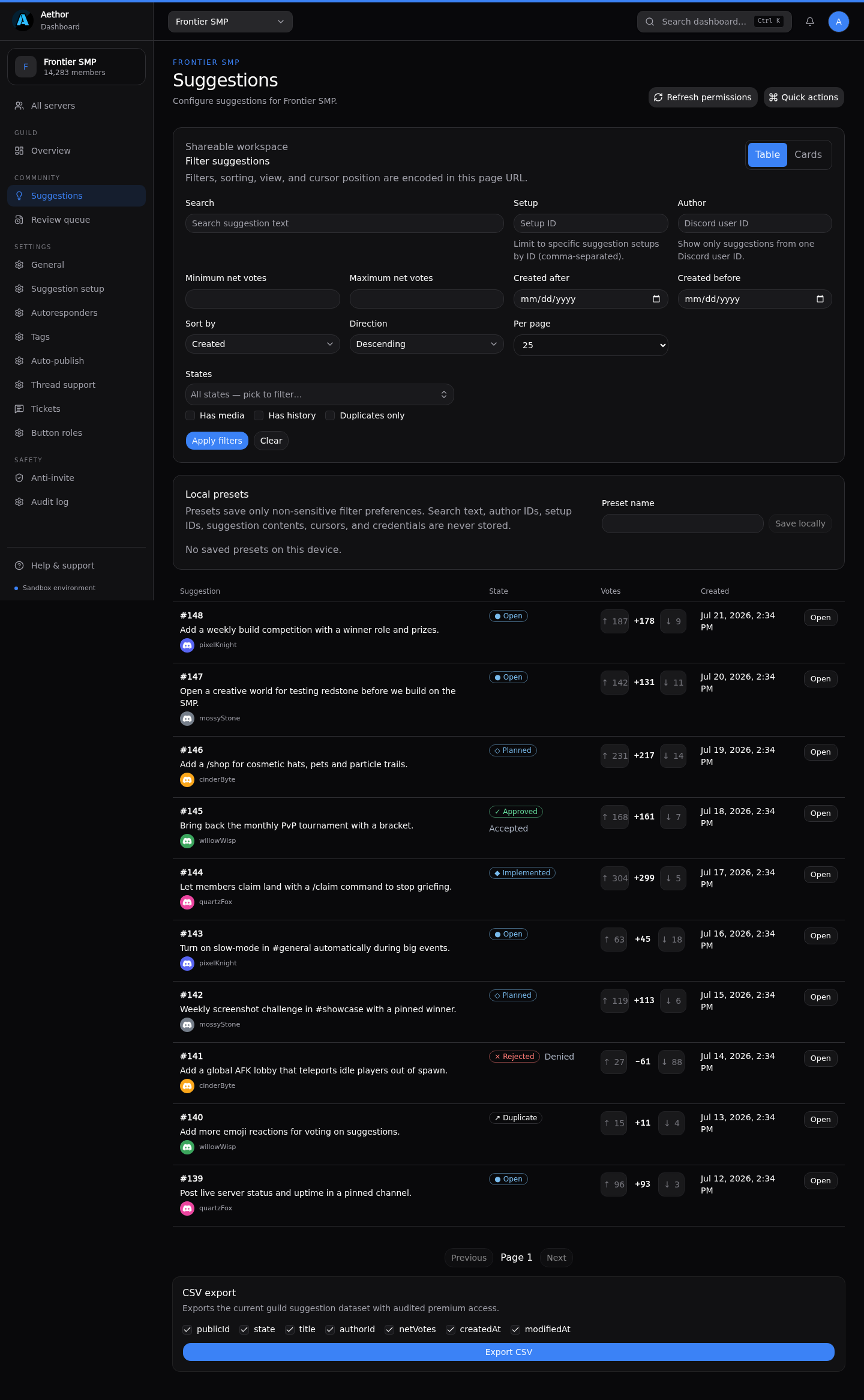
States mirror the ones the bot uses: Open, Accepted, Planned, Implemented, Denied and Duplicate. Changing a state here posts the same update to Discord that a slash command would.
Working a single suggestion
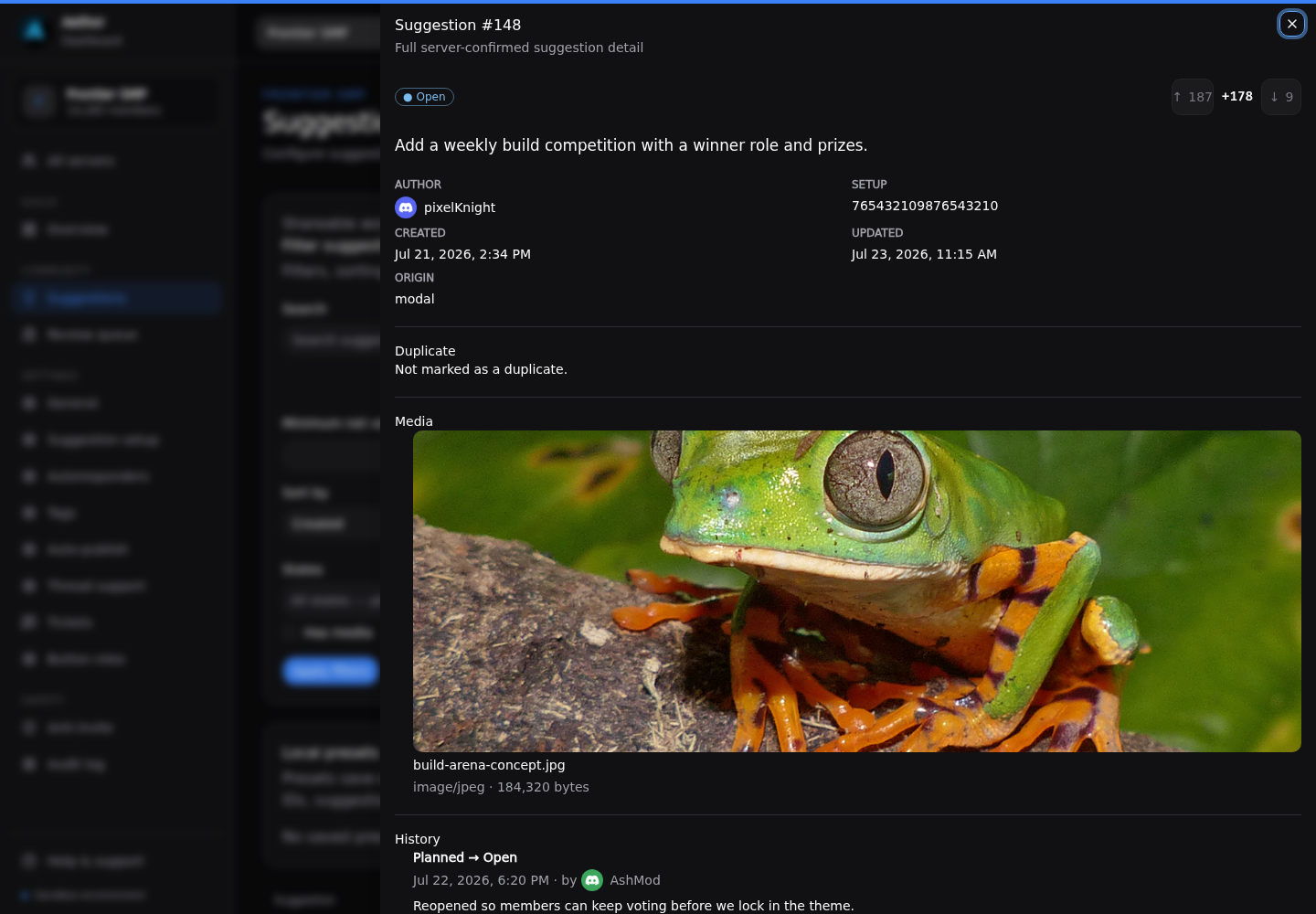
Open a suggestion to see the full picture: vote breakdown, attachments, and the complete history of state changes and staff notes. The action bar moves it through the workflow — accept, deny, plan, implement, or mark it a duplicate — without leaving the page.
The review queue
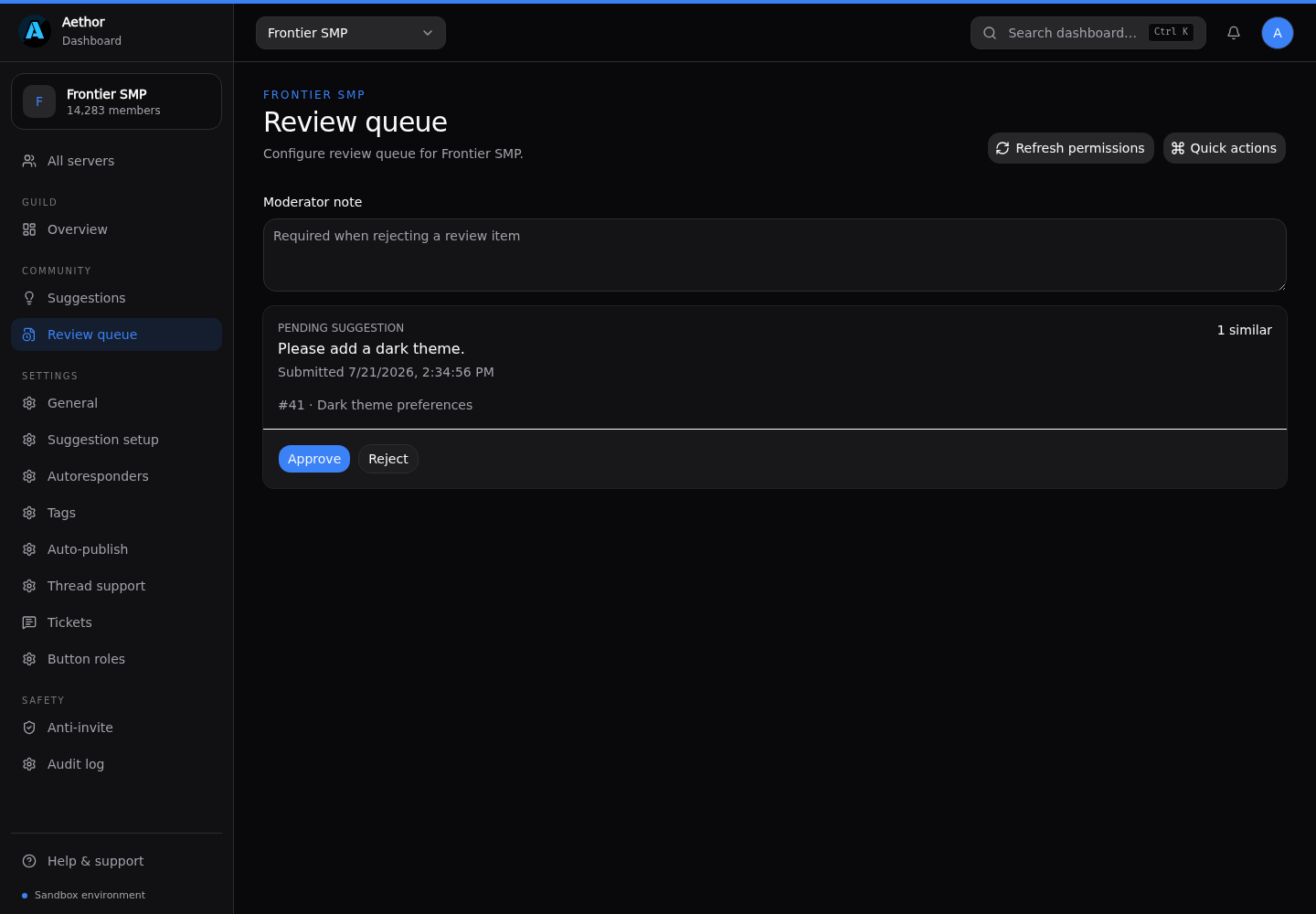
If your setup gates suggestions behind staff approval, new submissions wait in the Review queue until someone approves or rejects them. It’s a focused list, so nothing slips through.
Taking the data with you
Premium servers can export the whole board to CSV from the suggestions page — handy for roadmaps, reports, or pulling ideas into another tool. See Suggestions for the full setup, voting and export details.